

Interface tour: pricing and market
Pricing and Market answer different questions. Pricing asks what the account can buy; Market asks which reusable capability the project can connect. Both are public pages, and both depend on the deployment: a private deployment may hide pricing, and an unlisted market item may not be installable.

Read the pricing page
| Area | What to check |
|---|---|
| Billing switch | Monthly or yearly; the price and billing note change together |
| Plan cards | Included resources, limits, and the recommended marker |
| Primary action | Only the recommended plan is filled; the other plans use a secondary action |
| Credits | Inference credits are separate from the subscription unless the plan states otherwise |
| Closing bands | FAQ, limits, and support links; they are not part of the plan grid |
Choose the plan by the resources and workflow you need, not by the largest number. If the free plan is enough, start there; upgrade later. The checkout page is the authority for the final amount, currency, tax, and payment method. Do not treat a marketing card as a quote.
Read the Market page
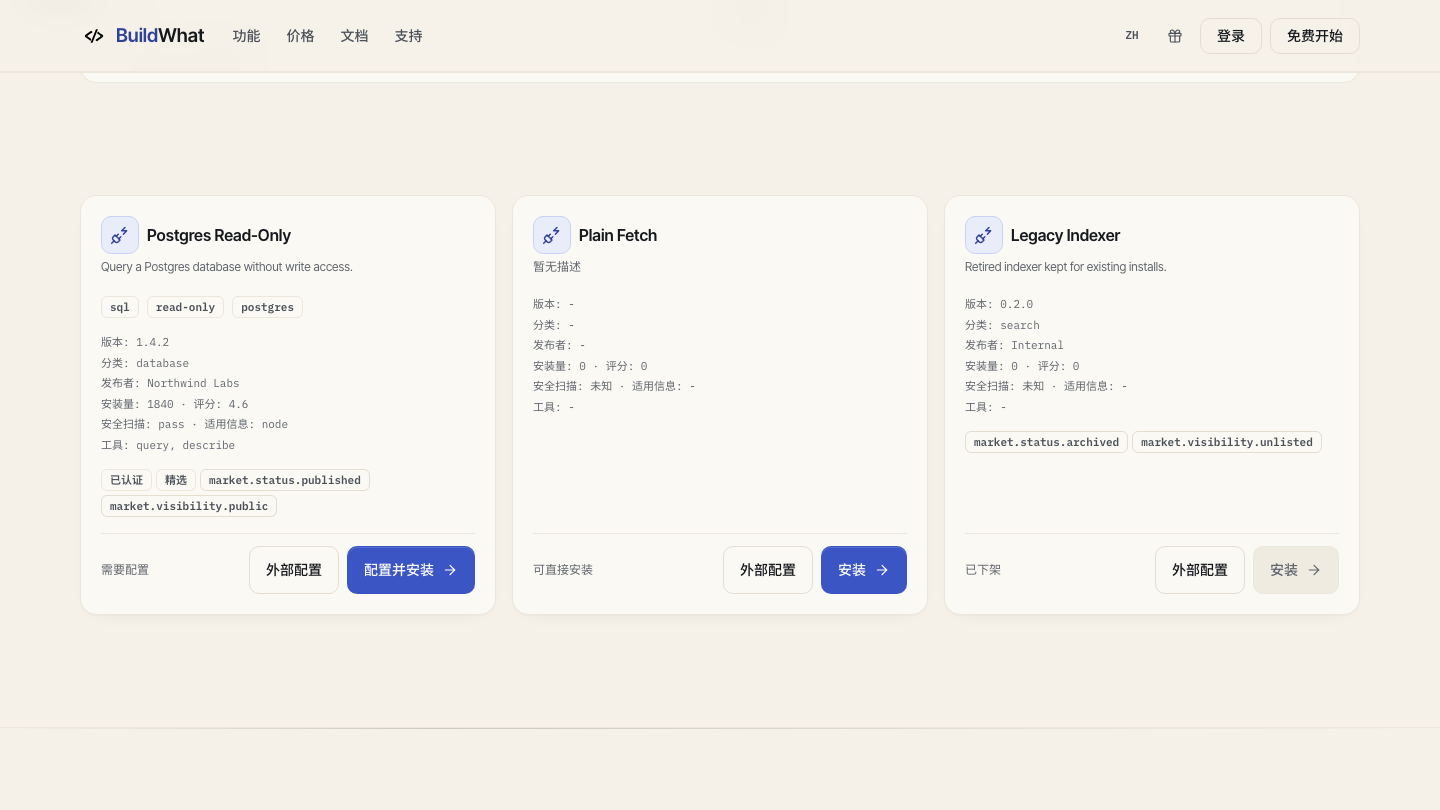
- Search or filter by the capability you need, then open the detail page.
- Read the description, version, publisher, security and compatibility fields, and required configuration.
- Check whether the item is published, unlisted, archived, or unavailable. “Install” is not the same as “safe to use in production.”
- Configure the required connection or secret through the provided control. Never paste a secret into a prompt or a public issue.
- After installation, verify the capability in the project with a harmless test call before relying on it.
What belongs where
Use Pricing for plan, seat, credit, invoice, and checkout questions. Use Market for models, MCP servers, skills, and reusable integrations. Use Docs for how a feature behaves and for task steps. Use Support when the page is unavailable, a payment is stuck, or an installed capability fails in a way the detail page does not explain.
If a purchase or install is blocked
A purchase can be blocked by sign-in, organization billing policy, an unavailable payment provider, or a deployment without billing. An install can be blocked by role, plan, compatibility, or a missing configuration. Read the inline error and the required configuration before retrying; do not create a second account or reinstall repeatedly.